BPR1 BPR1S Plus 2.4G Беспроводной USB-приемник пульта дистанционного управления для телевизионного приставки BLE 5.0 Air Mouse для устройств Android и ПК/телевизора.
*История изменения цены! Указанная стоимость возможно, уже изменилось. Проверить текущую цену - >
Месяц
Минимальная цена
Макс. стоимость
Цена
Mar-23-2026
412.45 руб.
433.91 руб.
422.5 руб.
Feb-23-2026
408.89 руб.
428.4 руб.
418 руб.
Jan-23-2026
343.2 руб.
360.53 руб.
351.5 руб.
Dec-23-2025
401.24 руб.
421.24 руб.
411 руб.
Nov-23-2025
349.26 руб.
366.85 руб.
357.5 руб.
Oct-23-2025
394.53 руб.
414.77 руб.
404 руб.
Sep-23-2025
391.36 руб.
411.96 руб.
401 руб.
Aug-23-2025
388.37 руб.
407.4 руб.
397.5 руб.
Jul-23-2025
384.31 руб.
403.58 руб.
393.5 руб.
Новые товары
RAV284 WN05820EX Замените пульт дистанционного управления для AV-ресивера Yamaha HTR-6230 HTR-6130
".
Пульт дистанционного управления для DVD-плеера MEGATEK DP-260M55HD без региона |
YQXINQIDZ Универсальный ИК пульт дистанционного управления |
Пульт дистанционного управления для ЖК-телевизоров skyworth IRIS H0F17G490GPD23 Fernbedienung
".
Пульт дистанционного управления Siemens 6ES7531-7KF00-0AB0 |
Пульт дистанционного управления RM-1 для Olympus
1149
Новый пульт дистанционного управления подходит для цифрового ТВ-приставки HE @ D
",
Модуль управления открыванием гаражных ворот Tuya Пульт дистанционного Smart Life App
",
Пульт дистанционного управления для гаражных ворот 315 МГц/433 МГц беспроводной
128
Характеристики
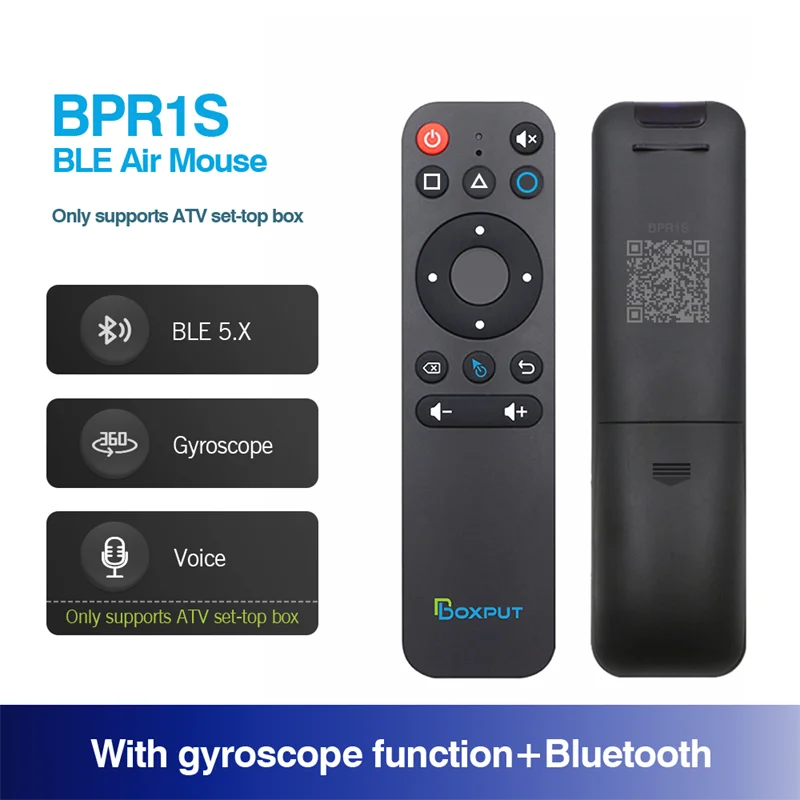
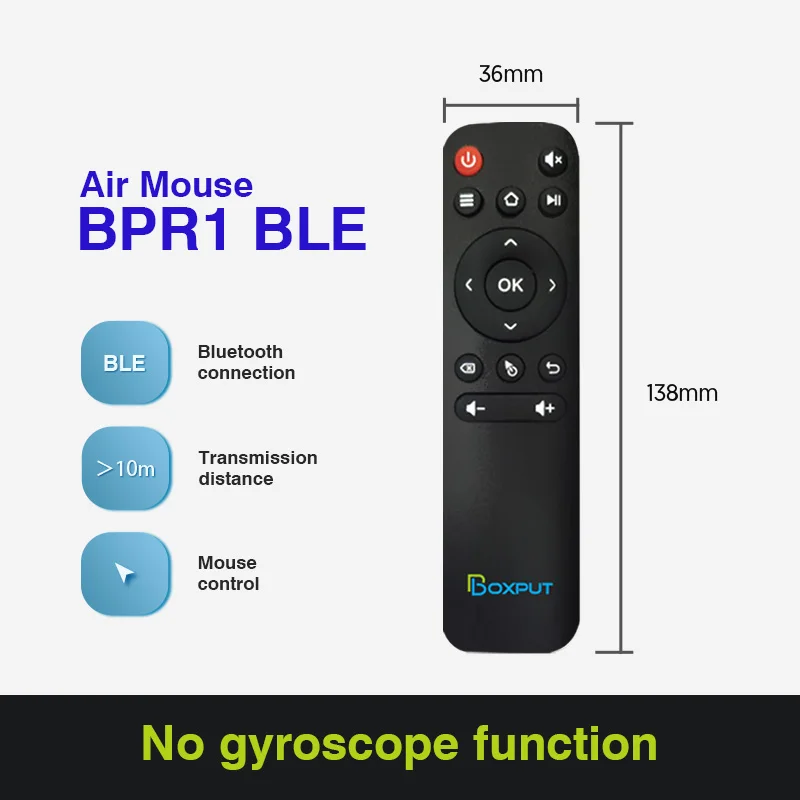
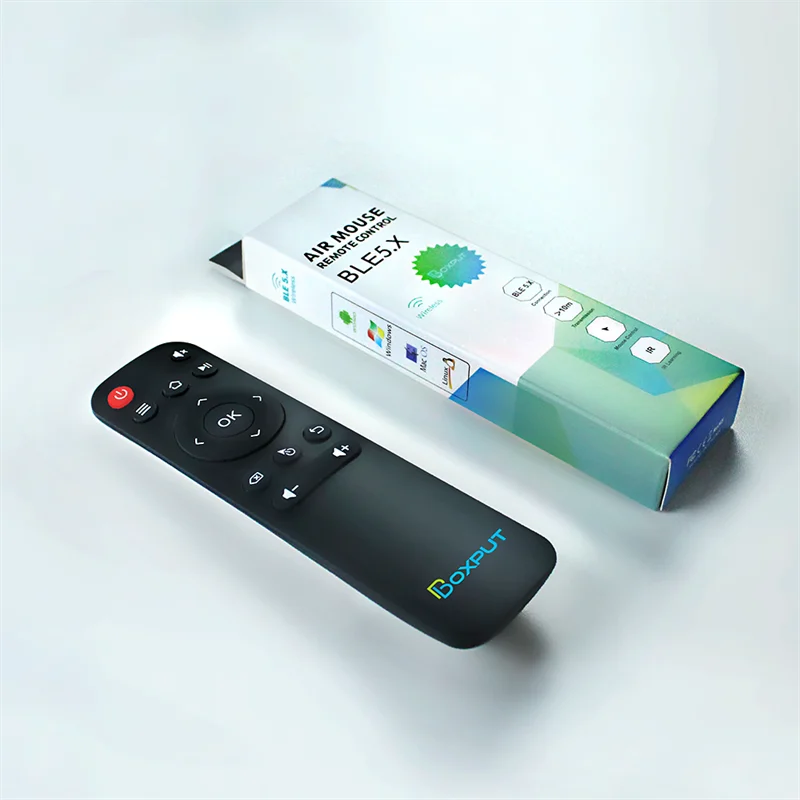
BPR1 BPR1S Plus 2.4G Беспроводной USB-приемник пульта дистанционного управления для телевизионного приставки BLE 5.0 Air Mouse устройств Android и ПК/телевизора.
Описание товара
BT with 2.4G and gyroscope function and voice function are only available in our store. Available in wholesalePlease Note :it Maybe can Not use well on Samsung and LG Smart Tv directly. Due to the special systems of Samsung and LG TVs, There will be compatibility issues.many remote controls cannot be perfectly compatible. if Samsung or LG Smart Tv connecte android tv box , you can use our remote control. Note: BPR1 and BPR1S: The connection of this product is very simple, via Bluetooth (no USB receiver required). Once connected once, there is no need to connect again in the future. BPR1S Plus: This product can be connected via Bluetooth and also via USB receiver (2.4G connection with USB receiver included)Send to each customer: Dear friends, thank you very much for choosing our products, because the product is cross-border transport, we have been more carefully packaged the product, but still can not avoid the case of express transport violence, if you receive the goods, the product has damage / product can not use the situation, please find me immediately, I will immediately solve your problem!
BPR1:
Bluetooth Pairing 1. To pair another new device, press "OK" and "Back" at the same time till the light flashing.
2. Keep the remote control within 1 meter of the device for faster pairing.
3. Open Bluetooth searching, pair with "BOXPUT | BPR1″.
IR Learning (All buttons)1. Press the button that needs to learn for 8 seconds till it's flashing, then release (The indicator light on after flashing).
2. Align the IR, press the button that would be learned, it shows success when the indicator light flashing.
3. Repeat 1~2 to learn the other buttons.
4. Press "Delete" and "Back" at the same time till the light flashes to reset IR.Highlights
1. IR and Bluetooth can't be used at the same time.
2. Do not use mouse mode in the Google account login interface, otherwise, the "ok" button is not compatible.
3. If no infrared learning, all buttons are Bluetooth mode function accordingly.
4. If the buttons have completed IR learning, only the power button will send the IR signal in priority in Bluetooth mode.
BPR1S: Bluetooth Pairing1. To pair another new device, press "OK" and "Back" at the same time till the light flashing.2. Keep the remote control within 1 meter of the device for faster pairing.3. Open Bluetooth searching, pair with "BOXPUT | BPR1S".IR Learning (All buttons)1. Press the button that needs to learn for 8 seconds till it's flashing, then release (The indicator light on after flashing).2. Align the IR, press the button that would be learned, it shows success when the indicator light flashing.3. Repeat 1~2 to learn the other buttons.4. Press "Delete" and "Back" at the same time till the light flashes to reset IR.Highlights1. The button would be IR mode when disconnected from Bluetooth.2. Only the "Power" button has infrared value when connected to Bluetooth.3. Press "OK" + "volume +/-" shortly to control the speed of the mouse.4. In IR mode, it supports full button learning, with no mouse function.5. In Bluetooth mode, the voice function is applicable to some ATV devices, like TCL Smart TV, Shield TV Box, HAKO mini, Google TV, etc. But the voice function may be incompatible with the other devices.6. In Bluetooth mode, the voice function is not compatible with all AOSP Android functions and is not equipped with a USB receiver.7. Do not use mouse mode in the Google account login interface, otherwise, the "ok" button is not compatible.8. If no infrared learning, all buttons are Bluetooth mode function accordingly.9. If the buttons have completed IR learning, only the power button will send the IR signal in priority in Bluetooth mode. BPR1S Plus:Bluetooth Pairing
1. To pair another new device, press "OK" and "Back" at the same time till the light flashing.
2. Keep the remote control within 1 meter of the device for faster pairing.
3. Open Bluetooth searching, pair with "BOXPUT | BPR1S".2.4G Pairing
1. Keep pressing the "OK" and "Back" at the same time till the light flashing.
2. Plug in the USB receiver and keep the remote near to the USB receiver within 5 cm for faster pairing.
3. The indicator light stops flashing to indicate successful pairing.IR Learning (All buttons)
1. Press the button that needs to learn for 8 seconds till it's flashing, then release (The indicator light on after flashing).
2. Align the IR, press the button that would be learned, it shows success when the indicator light flashing.
3. Repeat 1~2 to learn the other buttons.
4. Press "Delete" and "Back" at the same time till the light flashes to reset IR.Highlights 1. The button would be IR mode when disconnected from Bluetooth.
2. Only the "Power" button has infrared value when connected to Bluetooth.
3. Press "OK" + "volume +/-" shortly to control the speed of the mouse.
4. In IR mode, it supports full button learning, with no mouse function.
5. In Bluetooth mode, the voice function is applicable to some ATV devices, like TCL Smart TV, Shield TV Box, HAKO mini, Google TV, etc. But the voice function may be incompatible with the other devices.
6. In Bluetooth mode, the voice function is not compatible with all AOSP Android functions.
7. In 2.4G mode, the voice function supports AOSP Android and ATV devices.
8. In 2.4G mode, some ATV TVs cannot enter when logging into a Google account.
9. Do not use mouse mode in the Google account login interface, otherwise, the "ok" button is not compatible.
10. If no infrared learning, all buttons are 2.4G or Bluetooth mode function accordingly.
11. If the buttons have completed IR learning, only the power button will send the IR signal in priority in 2.4G or Bluetooth mode.Feel free to tell us more about device compatibility issues and help us upgrade products.
Хорошие и удобные легинсы, я их дома уже несколько месяцев ношу. Они действительно хорошего качества - не растягиваются и не... Читать отзыв полностью...
Хороший магазин, с большим выбором товаров и удобным интерфейсом. Сын давно хотел портфель с персонажами из мультфильма. Долго искали сайт,... Читать отзыв полностью...
Не давно мы с подругой купили джинсы, сначала обе переживали потому что первый раз покупали одежду через интернет. Мы получили... Читать отзыв полностью...
Приятненькая и довольно-таки удобная женская блузка, я на личном примере в этом убедилась) Заказала несколько штук, вот прям все мне... Читать отзыв полностью...
Выглядит эта одежда довольно-таки сексуально и эротично. Я решила себе прикупить такой комплект - и осталась в полном восторге! Одежда... Читать отзыв полностью...
Отзывы о BPR1 BPR1S Plus 2.4G Беспроводной USB-приемник пульта дистанционного управления для телевизионного приставки BLE 5.0 Air Mouse устройств Android и ПК/телевизора.





В моей Митсубиси сломался старый подлокотник, так что искал новый. И эта модель мне подошла прям идеально! Заказал - всё... Читать отзыв полностью...